Imagine it’s Saturday morning. And you want to go Swing Dancing tonight. You did see something on Facebook but can’t find it again.
What do you do?
Check a few websites — a band’s Facebook page, a venue’s Google Calendar, a dance school’s homepage, a human compiled listing of dances (which was updated when?).
One says, “Every third Saturday.” Another has a flyer image with a date buried in a funky font. A third just says “Next dance: Sat 13th April” – is that today? You resort to texting friends and hoping someone responds.
Good luck figuring out what’s actually on before it’s over.
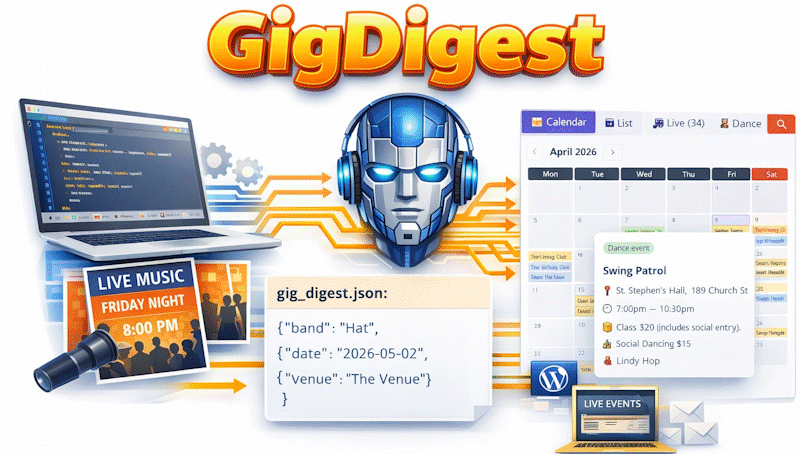
This is the problem I set out to solve with GigDigest — an automated system that discovers, extracts, and publishes Sydney’s Swing (and Balboa, Lindy Hop, Tap, Collegiate Shag) live bands, dances and lessons every week, without a human lifting a finger.
While the idea sounds simple, it’s only possible now because AI can help.
Why is it hard? Gig listings exist in every format imaginable. Some are HTML tables. Some are plain paragraphs. Some are literally just a JPEG of a poster pinned to a Facebook page — no text at all, just pixels. There is no standard. Every venue, every band, every dance school does it differently. And they change their layouts without warning.
If that wasn’t enough, another problem is dates. When a venue says “first Saturday of the month,” what date is that? If today is April 6th and April’s first Saturday was April 4th, the answer isn’t April 4th — it’s May 2nd. Oh, that website I mentioned earlier that said “Sat 13th April” was an old listing from 2025. Tricky. Getting it wrong means showing people events that have already happened.
Even worse, the same gig often appears on multiple websites. The band’s site, the venue’s site, a shared calendar. You have to spot duplicates without combining two different events into one.
So how does Gig Digest solve this?
GigDigest runs every Sunday at noon. It reads a list of websites using a three-tier approach: first a headless browser (a simulated human), then a plain HTTP fetch, then a stealth fetch with Chrome-mimicking headers for sites that block bots. If an event exists only as a poster image, the system sends that image to an AI vision model to extract the text before anything else happens.
The extracted page content goes to Claude (Anthropic’s AI) with a carefully engineered prompt. That prompt took a lot of getting right. Without very specific instructions, the AI makes mistakes: it generates multiple copies of monthly events, picks the wrong Saturday when this month’s has passed, or hallucinates dates that aren’t on the page.
Once we have all the events in a standard format, we apply a range of actions (filtering, recurring event expansion, deduplication, HTML rendering, WordPress publishing, publishing for robots) using standard code. In all there are around 6,000 lines of code all created by Claude under my direction.
The page created for WordPress is designed to be easy for humans – you can switch between a listing and a calendar, hover over an event and get details, click on a venue to get a review of the quality of the dance area and even click on a band name and see a video from a recent gig.
The whole system costs around $5 AUD to run in Anthropic fees each Sunday and takes about 15 minutes to check, read and compile listings from around 20 websites.
So next Saturday, when you want to know what’s on, head to https://www.bynet.com knowing the listing is current and complete.